

PREREQUISITE
I am mentioning this vital step because before proceeding to further steps this needs to be done.
We had already installed the CRM Report Authoring Extension for Microsoft Dynamics CRM 2015, but this helper dll was not being picked up by Visual Studio.
We were able to locate the dll on the SSRS Server of our CRM development environment. To find this file in our case, we used this command:
C:UsersfreedomNew folderPFilesMSCRMBidsExtensions
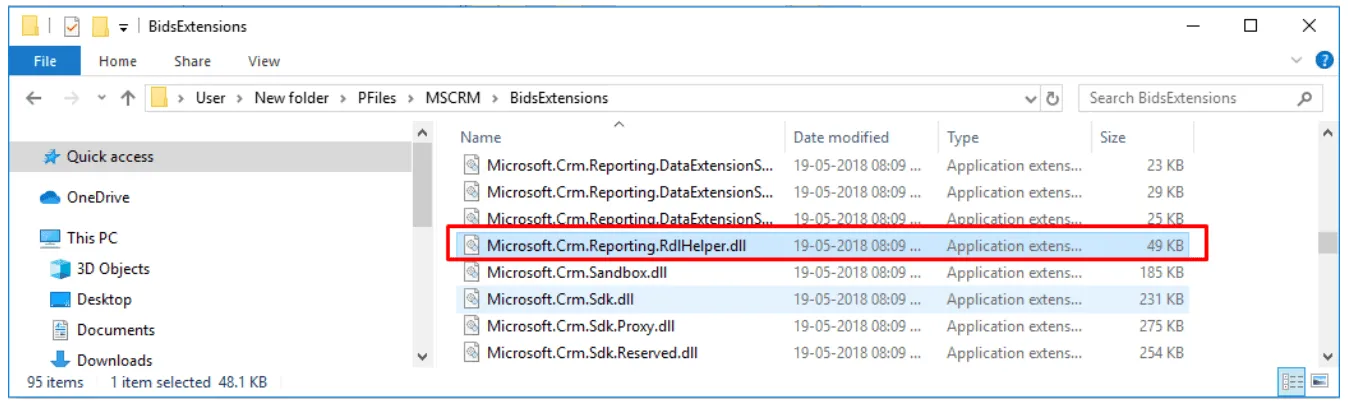
but it may be elsewhere for different versions of SQL or CRM. So if you are not able to find it then you can search for “Microsoft.Crm.Reporting.RdlHelper” in your machine.
NOTE: GO TO FOLDER WHERE WE HAD INSTALLED BIDS EXTENSIONS.
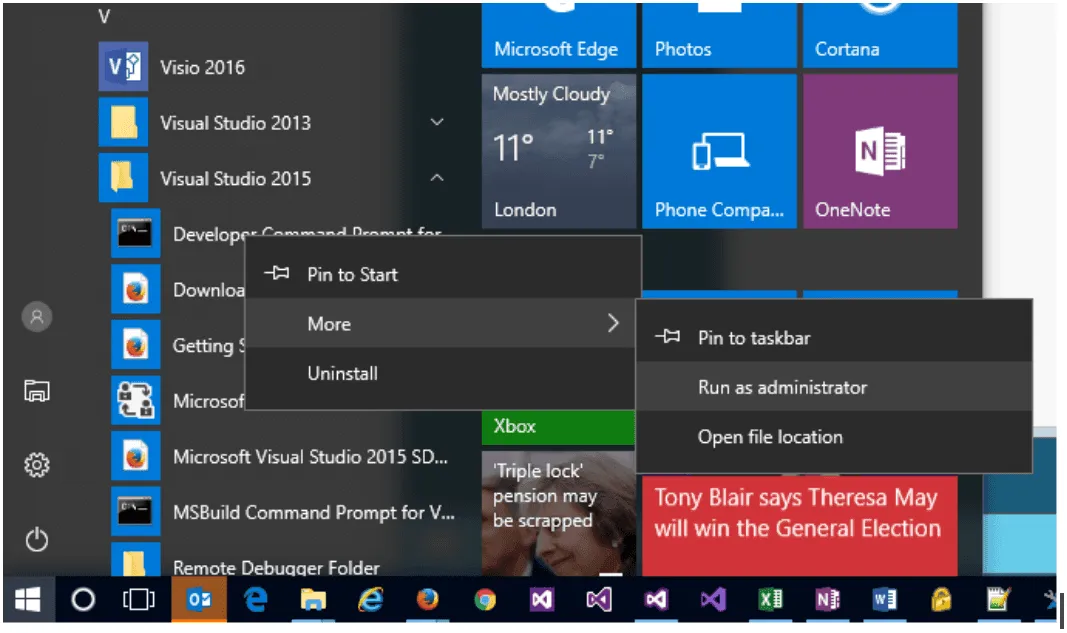
We need to registered it in the GAC (Global Assembly Cache) on these machines. This is done by running the gacutil.exe utility. In some cases, this might be available from a normal command prompt, but we found we had to access it by running the Visual Studio 2015 ‘Developer Command Prompt for VS2015’.
On Windows 10, you can access this from the start menu like this – You need to run the programme as an Administrator, so find the programme and then Right-Click to Run As Administrator:
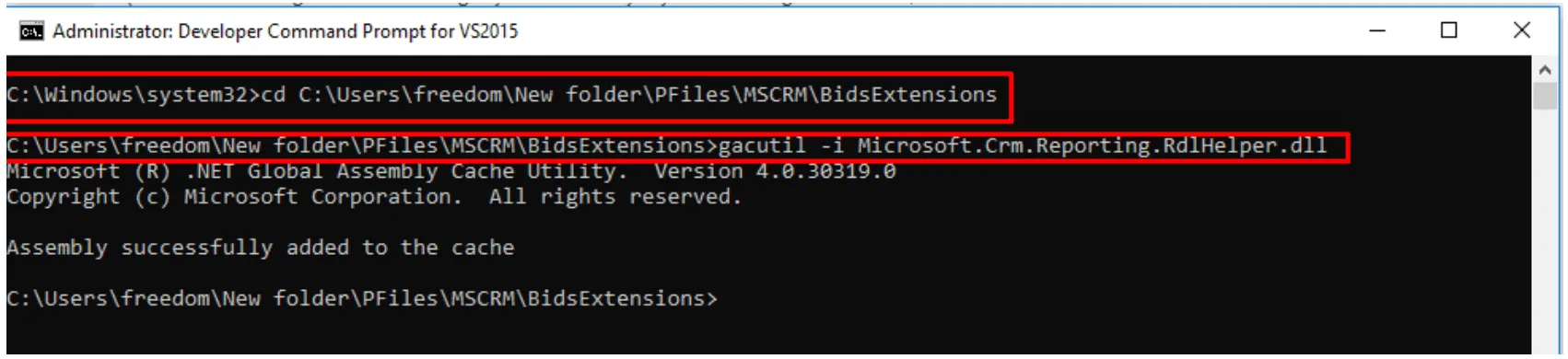
With the new window open, navigate to the folder where the dll is and run the command gacutil -i Microsoft.Crm.Reporting.RdlHelper.dll
STEPS TO RESOLVE THIS ISSUE:
If you are compiling a report in Visual Studio and it is giving the error above, you might need to point the report to correct version of the RdlHelper.dll
Open the report in Visual Studio. select Report -> Report Properties from the menu. (This option is only available if the report is open and you have selected an element on the report designer/previewer.)

Now go to References Tab and browse to the correct version of the assembly in the BidExtensions folder, even if the RdlHelper is listed, it may be that this is the wrong version…
Earlier its version was 7.0.0.0 so we need to update it to 9.0.0.0 in my case.
In our case it was located here: C:WindowsMicrosoft.NETassemblyGAC_MSILMicrosoft.Crm.Reporting.RdlHelperv4.0_9.0.0.0__31bf3856ad364e35
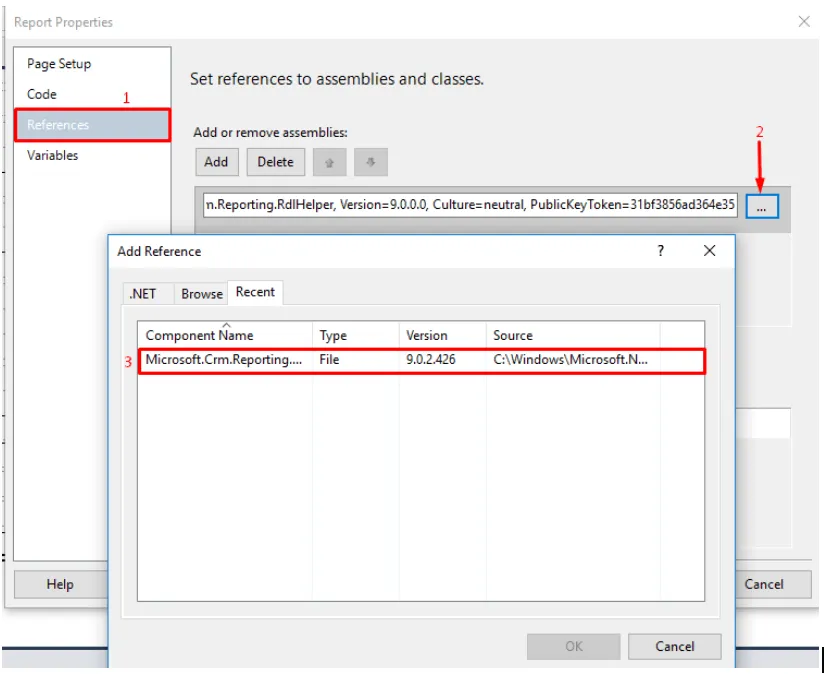
Exact location of helper will depend the version of the helper which you have installed. If you found any existing references (which are not necessary or may be different version of the dll) remove them.


